
🔏Your privacy
Good to know: depending on the product you're building, it can be useful to explicitly document use cases. Got a product that can be used by a bunch of people in different ways? Maybe consider splitting it out!
Overview
Enabling you to use AI securely and efficiently is why Tibo exists. We respect your privacy because it’s the right thing to do, and because privacy is an integral part of information security.
Privacy principles
Here’s how we keep you and your data safe while using Tibo.
Your browsing activity is never sent to Tibo
Push only monitors signups and logins to apps that use your work email address. If configured by your administrator, Push can also monitor all logins to work apps, regardless of what email address is used.
You can check which domains are being observed by clicking on the extension to read the description.
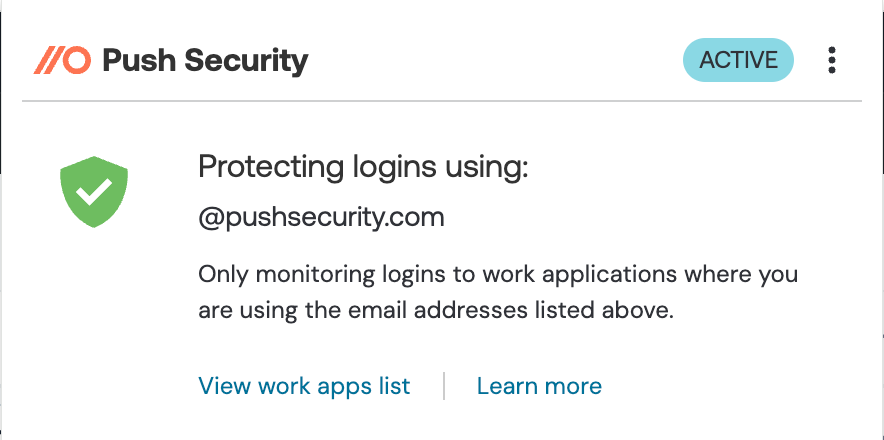
If all domains are being monitored for work apps, the description will say "Protecting work application logins" instead of listing individual company domains.
The Tibo browser extension shares the following information with your security team:
Browser name
Browser version
Device OS
Push browser extension version
The URL of A apps you accessed
Your prompts that contain sensitive information
When you log into an app via your browser using your company username and a password, the extension also collects a shortened salted hash of your password, which is stored locally in the browser and never sent anywhere. This information is not shared with your security team.
Salting and hashing a password refer to the processes of adding additional random characters to a password before running it through an algorithm that converts the plain text into a long string of characters that obscures the original password. Essentially, this ensures that neither Push, your security team, an attacker, nor anyone else can view your passwords.
If you prefer to keep your work and personal browsing activity completely separate, we recommend using a separate browser profile for personal browsing.
Your passwords are never sent anywhere.
To find weak or reused passwords associated with your work accounts, Push performs local password hygiene checks within your browser to make sure you’re using a secure and unique password. Your passwords are never sent anywhere.
If your security team uses the Push feature to find passwords that have been exposed in a data breach, powered by the Have I Been Pwned service, only the first 5 characters of a password hash are sent to HIBP. The service never sees the full hash of the passwords being checked.
Learn more in our help articles:
Your data belongs to you and your organization, not us.
Push collects only the data it needs to provide you with our service and nothing else. We do not sell your data, and we do not keep it any longer than is necessary. In GDPR terms, Push acts as the data processor, not the data controller.
Push does not prevent you from installing software or using apps.
Push cannot block you from installing software, using online apps, or adding browser extensions in accordance with your existing IT policies.
Your offline activity is your business.
Push only monitors logins to apps performed in your work browser. It does not access or collect information about any other activity on your device, and cannot make any changes to your device.
You can learn more about Push Security’s privacy policy and terms of service on our website.
Last updated