How does the integration with Google Workspace / Microsoft 365 works?
Syncing employee records and assigning licenses
After completing the integration, Tibo syncs with your work platform immediately and then once an hour after that to accommodate the addition or removal of employee accounts and to keep specific activity data up to date for licensed employees.
After you sync your work platform to Tibo, you’ll need to manually assign licenses to specific employees to add them to the Tibo platform.
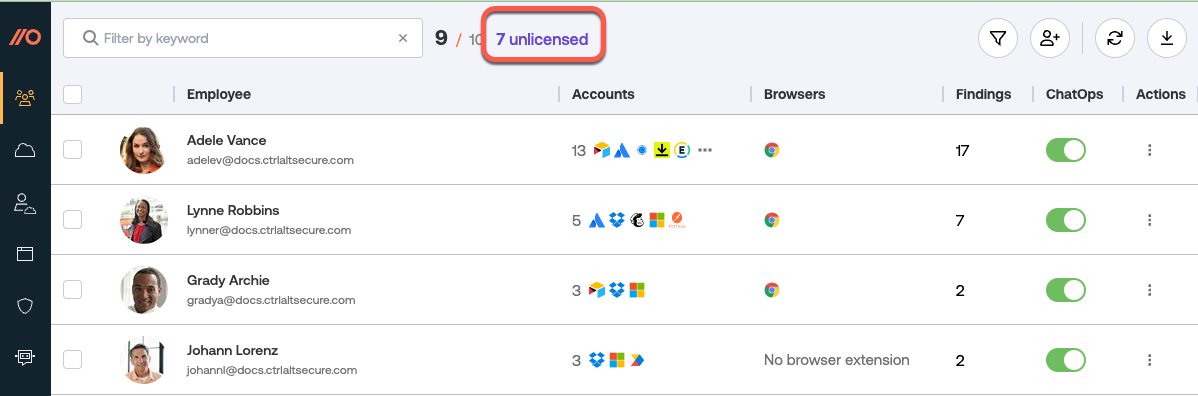
Tibo does not automatically assign licenses to new employees unless you have enabled the automatic licensing option in conjunction with doing a managed deployment of the Tibo browser extension.
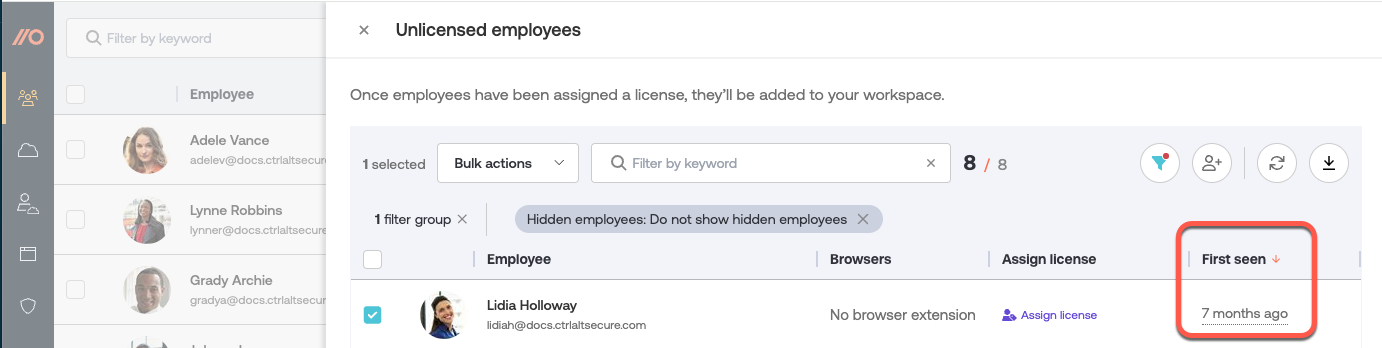
To quickly identify newly added employees in your workspace, check the First seen column in the Tbo list of unlicensed employees.
If you remove an employee account on your synced work platform after the employee has been licensed in Tibo and enrolled in the browser extension, their data will remain visible in the Tibo platform as long as they have associated records (app access, alerts, etc.). However the license for that employee will be revoked automatically.
If the employee was enrolled and licensed in Tibo via the automatic licensing option, their record will also remain in Tibo as long as they have associated activity, even if they have been removed from your work platform directory.
What permissions are required?
We request the minimum scopes possible for our API integration and let you customize them if you prefer. When configuring your integration, you can remove any scopes you don’t want to allow (note: Okta does not support per-scope configuration, but Microsoft and Google do), as well as view sample data for each scope requested.
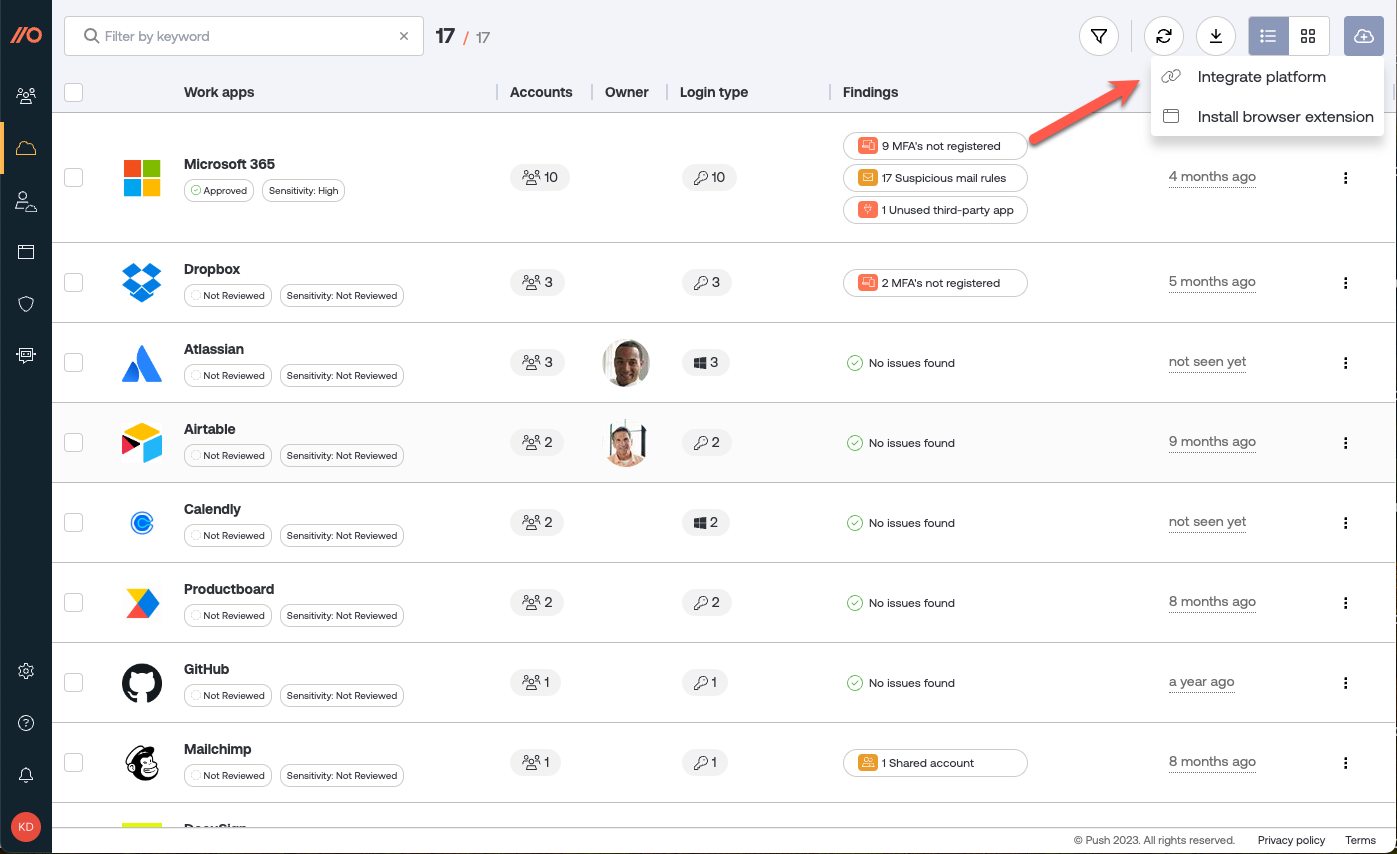
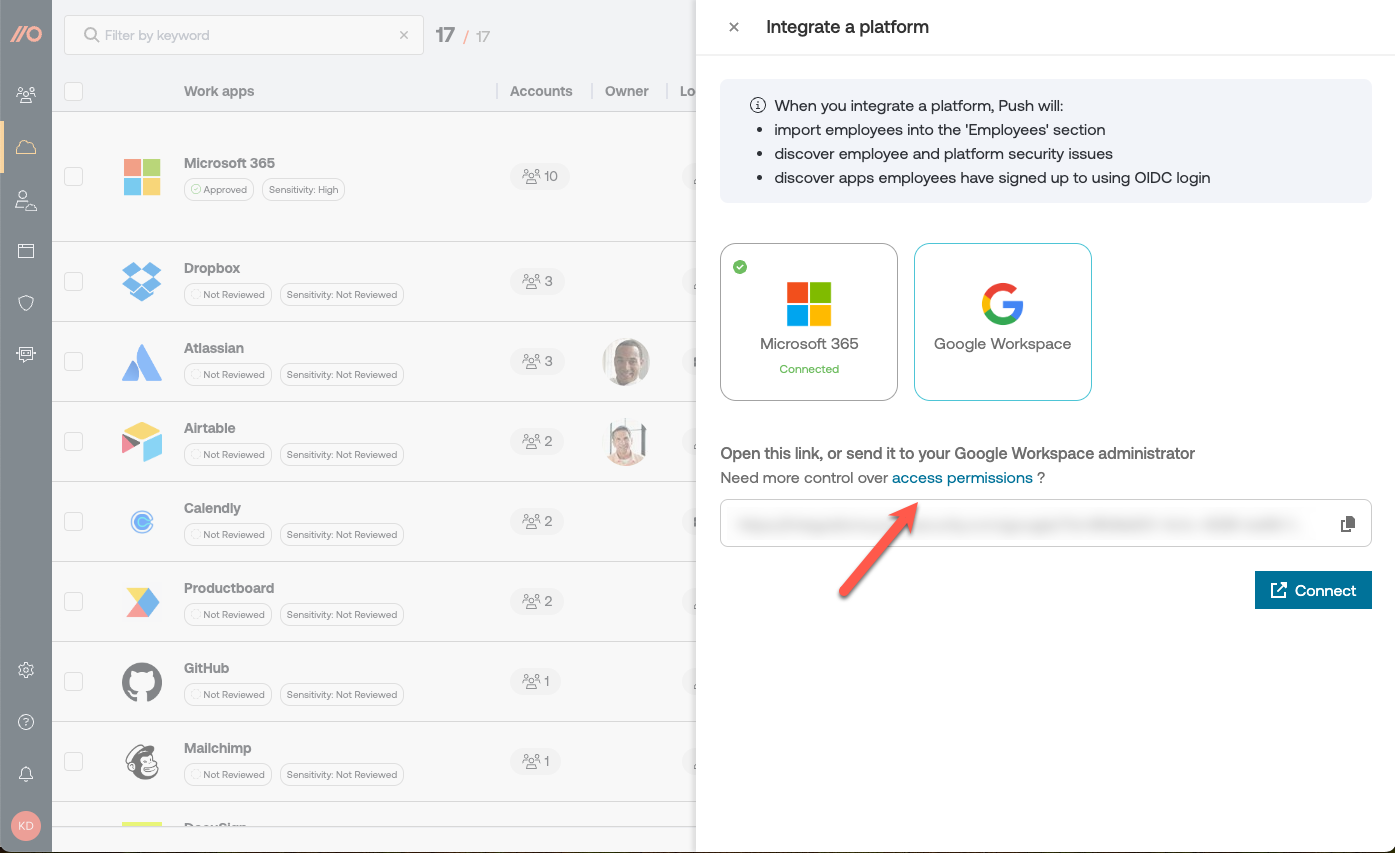
To view scopes and make changes, select Need more control over access permissions? from the Integrate a platform slide-out panel on the Apps page in the Tibo dashboard.
Here’s a description of each scope:
Scope
Purpose
ActivityFeed.Read
This scope lets us read your company’s activity data. We use this only to inspect whether logins are performed with or without MFA enforced.
AppRoleAssignment.ReadWrite.All
This scope is used to remove user relationships with third-party integrations when you delete them via the Push platform.
Application.ReadWrite.All
This scope allows us to remove third-party integrations via the Push platform when you initiate a deletion.
AuditLog.Read.All
This scope lets us query sign-in logs for service principals (third-party integrations).
DelegatedPermissionGrant.ReadWrite.All
This scope is used to remove individual permission grant consents.
Directory.Read.All
This scope lets us read data in your company directory, such as users, groups and apps.
MailboxSettings.ReadWrite
This scope lets us read and write to a user’s mailbox settings. We use write permissions to disable suspicious mail rules only at your command. This scope doesn't give us access to mail content.
Policy.Read.All
This scope lets us read your company policies. We use this only to inspect if Security Defaults or Conditional Access is in use.
Reports.Read.All
This scope lets us read all service reports. We query only the MFA registration report.
User.Read
This scope lets us read your profile and read basic company information.
User.Read.All
This scope lets us read details about the users in your company directory and retrieve their profile picture.
Scope
Purpose
admin.directory.group.readonly
This scope is used to retrieve group alias and member information about Google Groups. This is needed so we can organize results by group membership.
admin.directory.user.readonly
This scope is used to retrieve user profiles. This is needed to connect user identities to email addresses, mark accounts that are administrators, and identify 2SV status.
admin.directory.user.security
This scope is used to list OAuth tokens and remove them when you delete them via the Push platform.
admin.reports.audit.readonly
This scope is used to read Google Workspace token audit reports. This is needed to read logs of historic OAuth app integrations.
gmail.settings.basic
This scope is used to read mail rules from a user’s mailbox settings. It does not allow reading email messages. It is needed to find suspicious mail rules.
You can integrate Tibo with Microsoft 365 or Google Workspace via an API integration that uses OAuth.
Revoking the IdP integration
You can delete a work platform integration by going to Settings > Integrations in the dashboard. Removing an integration will also remove from Tibo all the employee records tied to that integration, as well as their associated data. Employees with no other associated organization in Tibo will be removed from the Tibo platform.
Last updated